Export timetables and resources
Choose the right export for classes, teachers, or rooms and check the generated document.
Before you begin
Section titled “Before you begin”- The latest scheduling changes show Saved.
- Active conflicts have been reviewed.
- Your browser allows downloads from Stundenwerk.
Choose the right export
Section titled “Choose the right export”| Goal | Selection and action | Result |
|---|---|---|
| One timetable | Row menu or open timetable → Download | one PDF |
| Multiple timetables, separately | Select rows → Download | separate PDFs in a ZIP file |
| Multiple timetables, combined | Select rows → arrow beside Download → Overview | one timetable-overview PDF |
| One teacher or room | Row menu → Download | one resource-timetable PDF |
| Multiple resources, separately | Select rows → Download or Separate | separate PDFs in a ZIP file |
| Multiple resources, combined | Select rows → arrow beside Download → Overview | one combined resource-overview PDF |
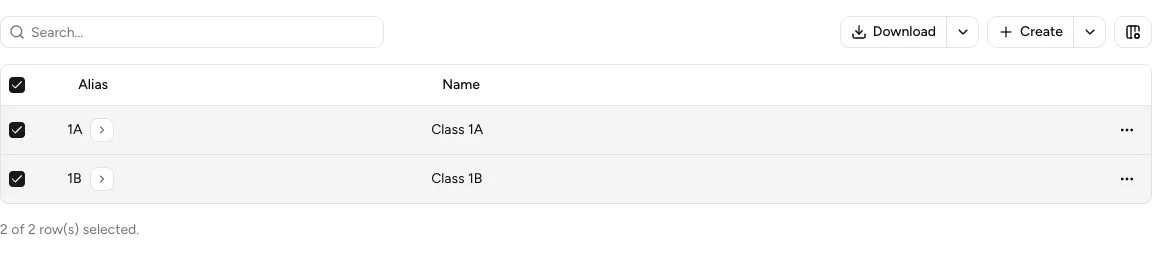
Select multiple rows to reveal download actions for separate files and overviews.
-
Select the data
Open the timetable overview, Teachers, or Rooms. For a multiple export, select the required rows.
-
Choose the output
Use the table above to choose Download, Separate, or Overview.
-
Wait for creation
Stundenwerk shows Creating export…. Creation may take a moment. When the file is ready, the browser download starts and Export downloaded appears.
-
Check the file
Open every PDF or extract the ZIP file. Check the class or resource, weekdays, lesson slots, and visible aliases.
Include hidden resources
Section titled “Include hidden resources”For timetable exports, use the arrow beside Download to open Advanced export. Select Show hidden teachers/rooms, then select Export.
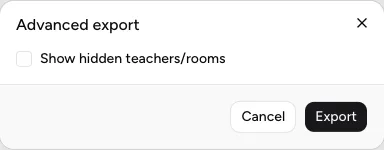
Advanced export can include hidden teachers and rooms in timetable PDFs.
Result
Section titled “Result”Your download contains exactly the selected individual timetables or combined overview. The PDFs are readable and match the current schedule.
If it does not work
Section titled “If it does not work”- For The export could not be created, wait briefly and start the same export again.
- If no download starts, check the browser’s download permission and download folder.
- If a resource is missing, check its visibility on the placement or use advanced export.
- If a ZIP file is empty or damaged, select the rows again and repeat the export.